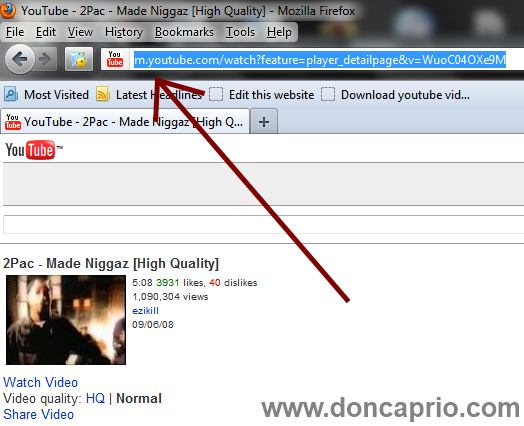
You’ve got a video you need to watch on youtube and it keeps buffering, pausing every few seconds. You feel like just closing the tab because it’s so frustrating but you keep trying because you just have to watch it. This problem often happens when you’re using a slow connection but there’s an easy fix for it which works for me. I’ve been using a broadband connection over the last couple of months but just last weekend, I went out of town and my broadband modem became useless where I was. I had to use a slow dial-up connection and Youtube videos kept buffering for like eternity.
I was able to watch Youtube videos without buffering using a simple trick. Before getting started, you should have Real Player installed on your computer because you’ll be needing this.
- Go to youtube and locate the video you want to watch
- Check the address bar on your browser and change www to just m as shown below